
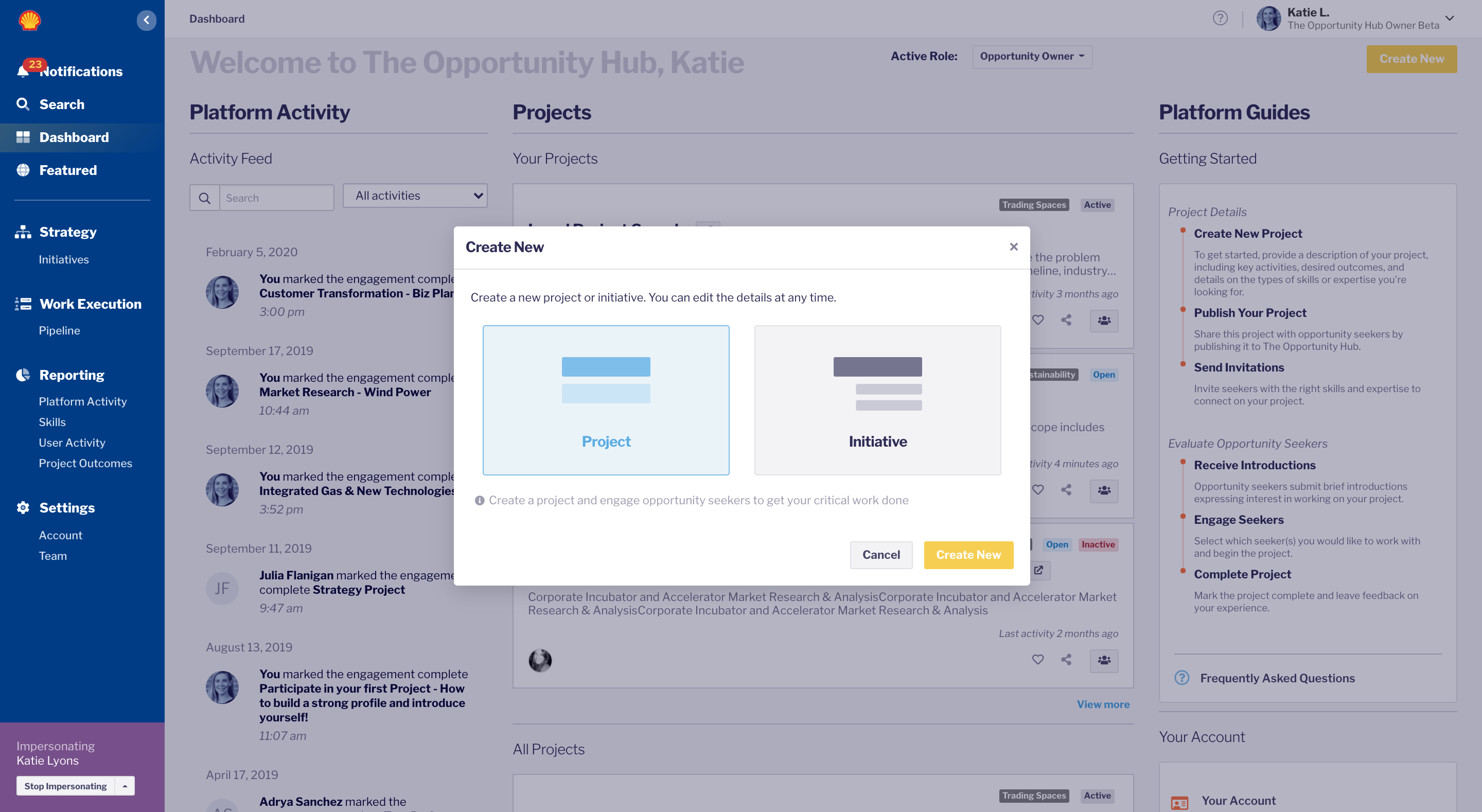
When you are ready to post a project on The Opportunity Hub, click Create New in the top right corner of the dashboard page and select “Project”.
Follow the steps to describe you, your Opportunity, and the type of seeker you are looking for, it's quite intuitive. Make sure to add details that seekers will need to know before they submit an introduction such as, when it starts, what time zone you're in, and what is expected of the person.
Step 1:Choose Create New in the top right, choose Project
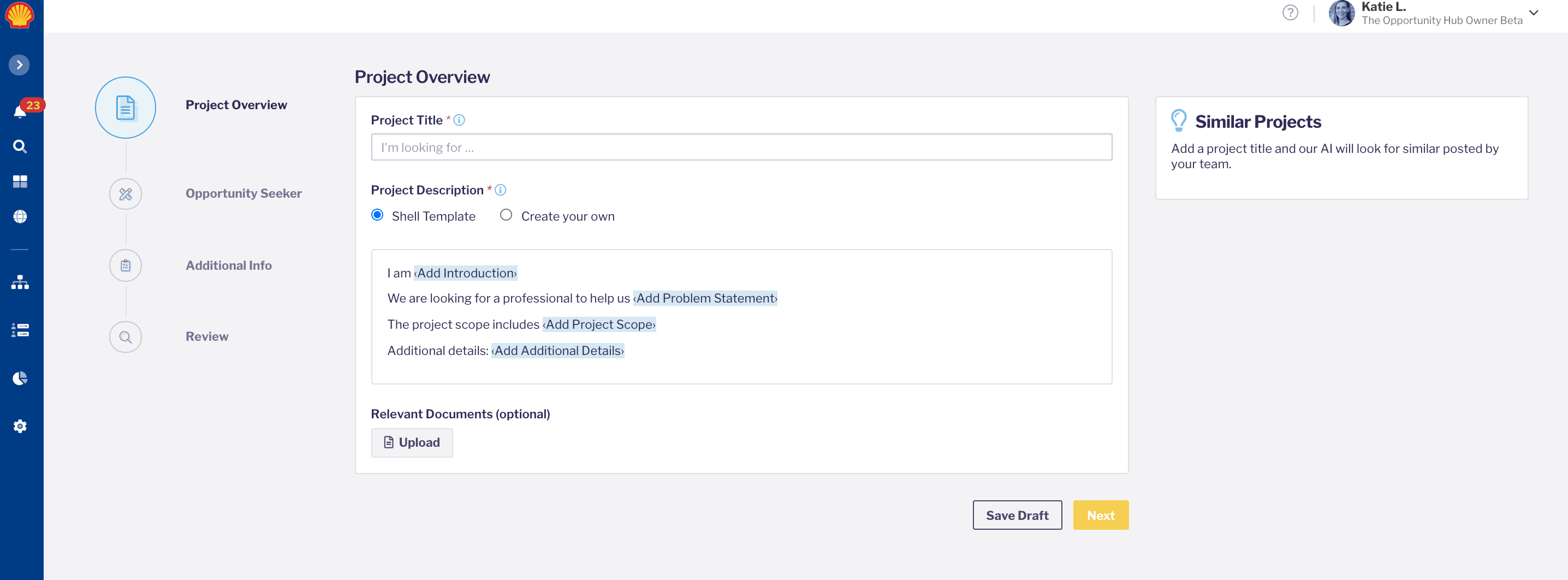
Step 2: Start adding your Project title and details, our AI will show you similar projects along the left side of the screen in case there are others that are too similar.
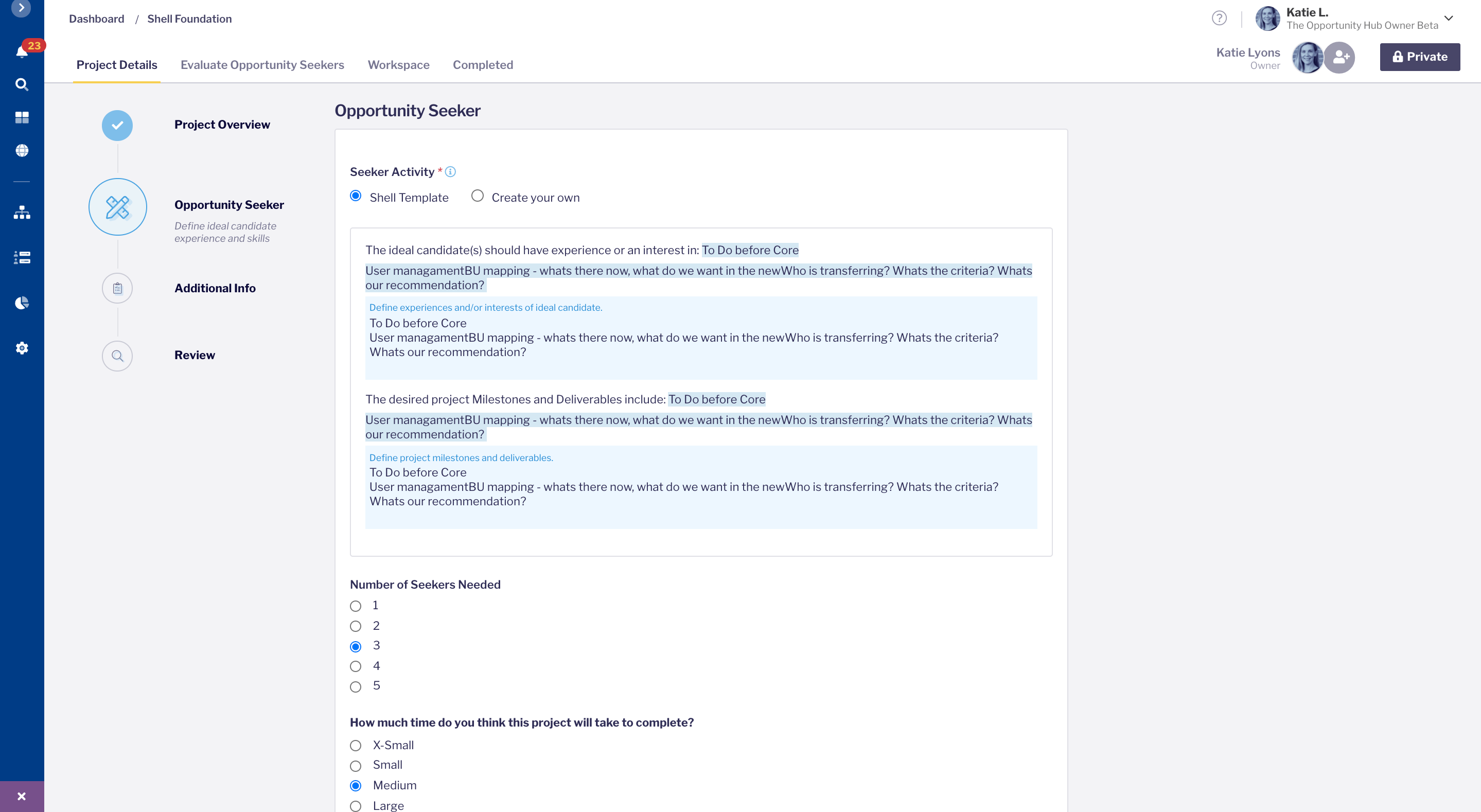
Step 3: Make sure to describe the type of seeker you are looking for in the most detail you can. Add at least 5 skills to get the best results via AI matching.
Editing existing project details:
At any point, you will be able to edit the details of your project form. Click on the name of your project, select the “edit” button, and make updates as needed. Be sure to save your changes after you’ve finished editing the project.
DON'T FORGET TO PUBLISH!
Next steps after publishing the project
Once you're ready to browse for seekers, click the "Private" button in the top left. There you can select posting the project to all seekers on the platform. The button will toggle over to "Public" once you have published it. The yellow Draft label will change to Open.

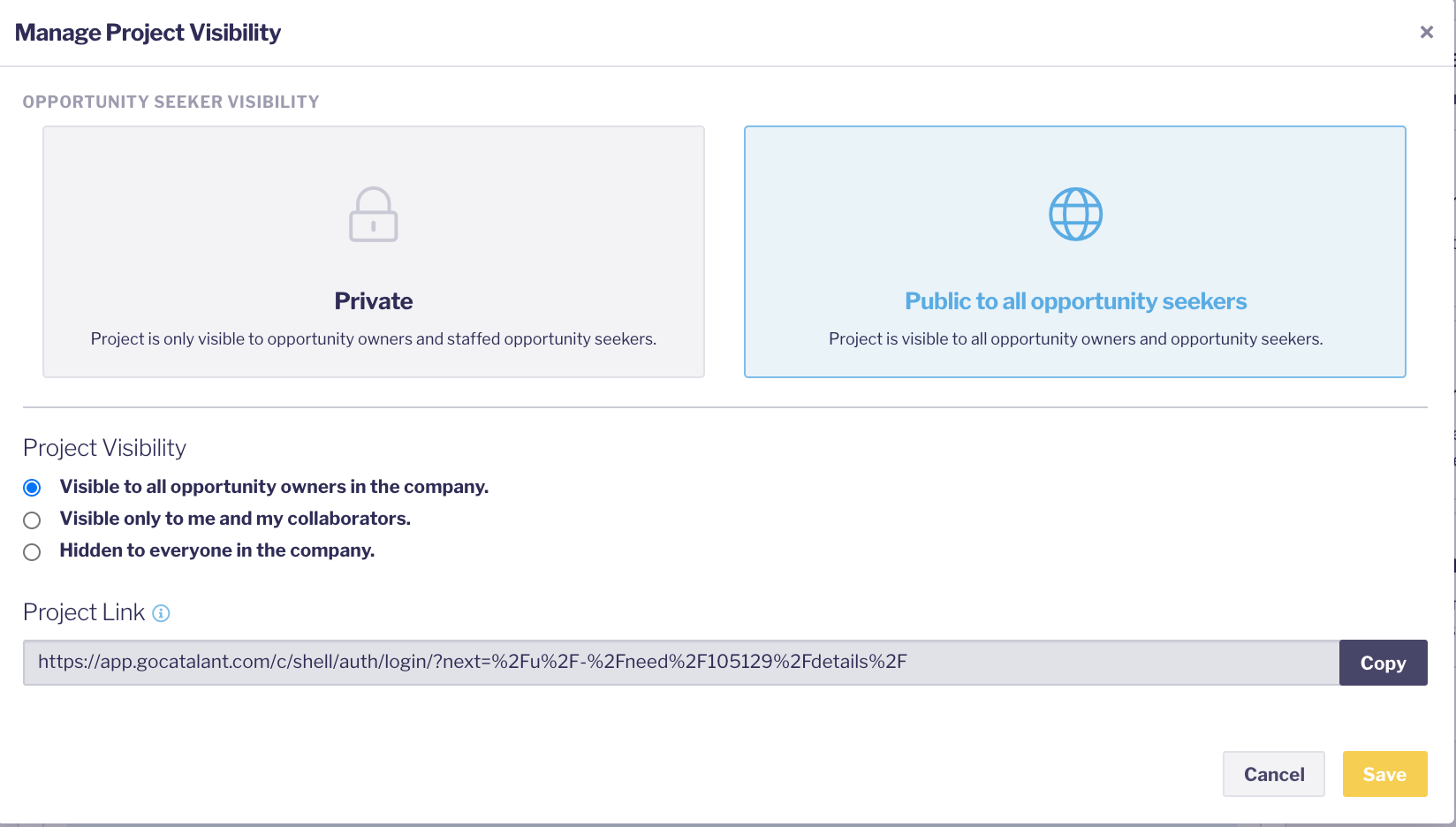
Once you hit Save, your project will be visible to whomever you chose via the list under Project Visibility.
After publishing your project, you can add collaborators to help you manage the project or invite seekers to work on your project.