
Help, my project is not showing up for seekers!
Not a problem, you just forgot to change it from Private to Public! Follow these steps for how to do that.
Step 1:
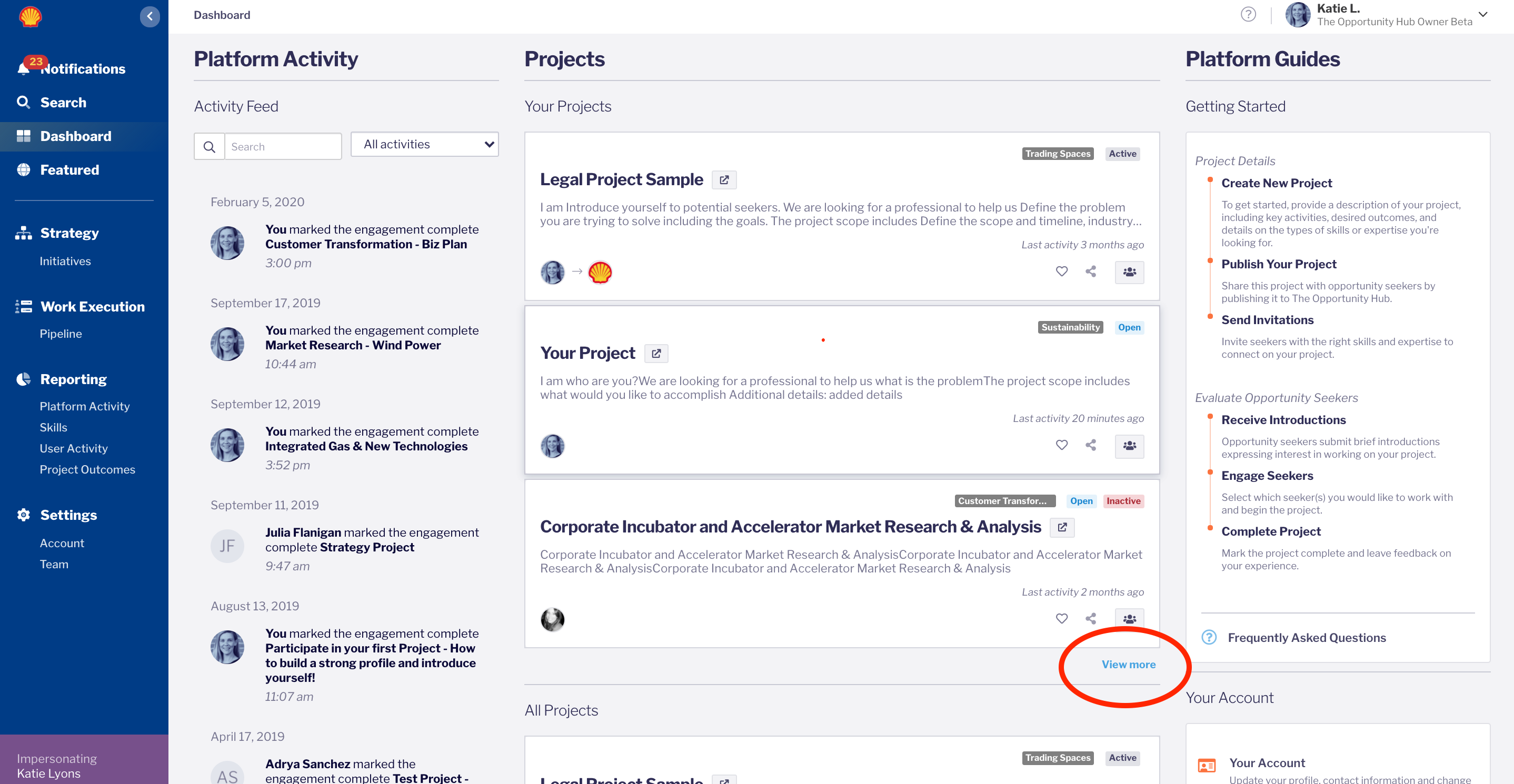
Find your project by clicking See more at the bottom of the project list on your dashboard
Step 2:
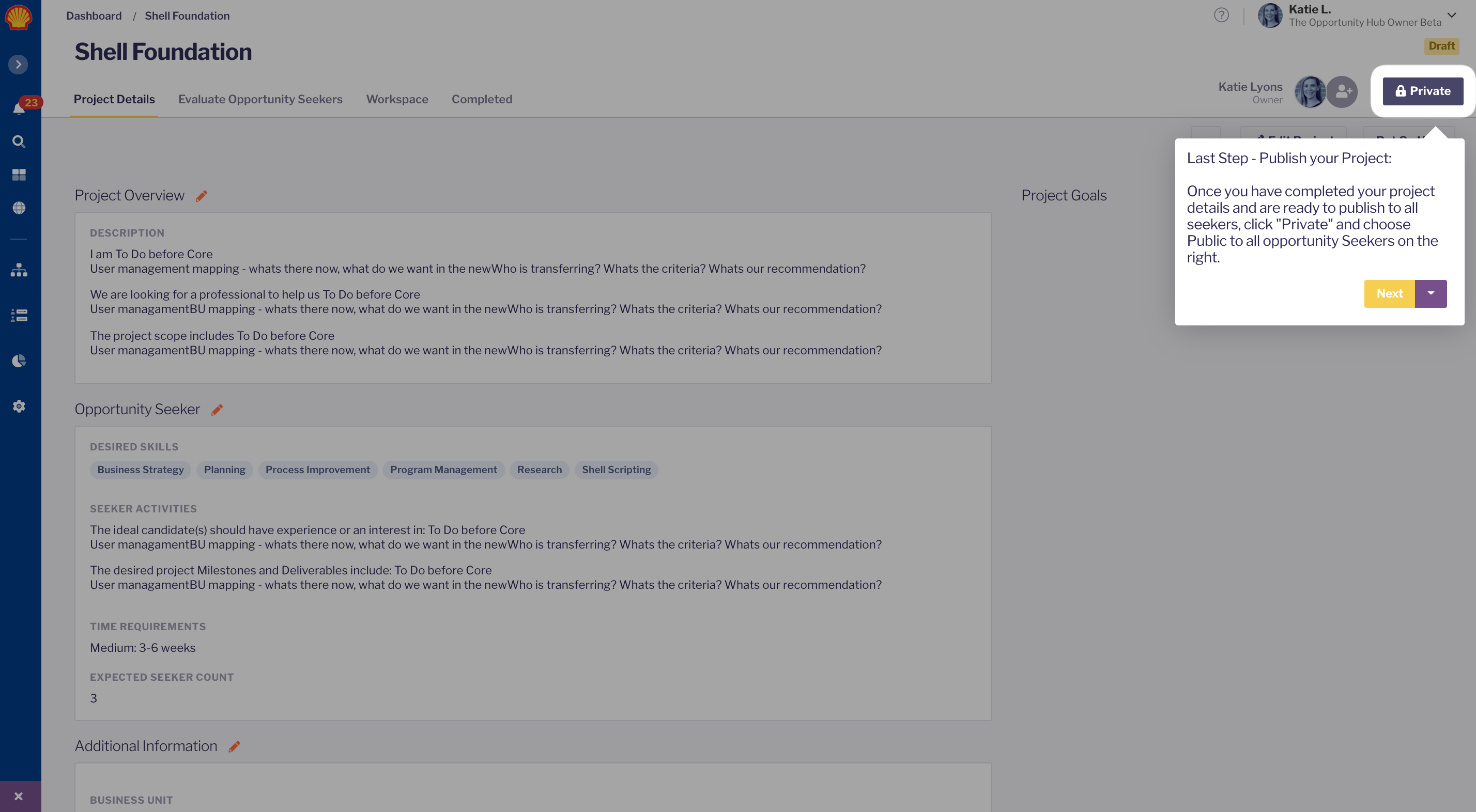
You will be sent to the page where you need to publish the project
Step 3:
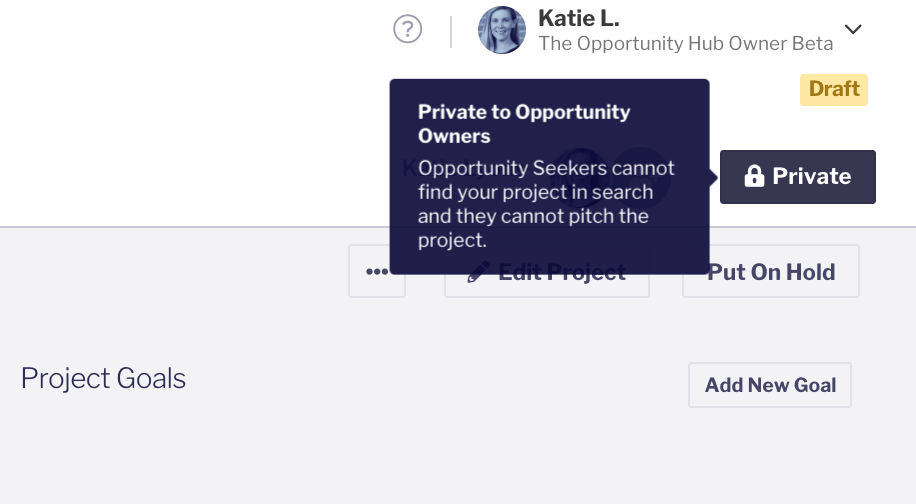
The Button will toggle from Private to Public after you publish it. The Yellow Draft label will also change to a Blue Open label.
Step 4:
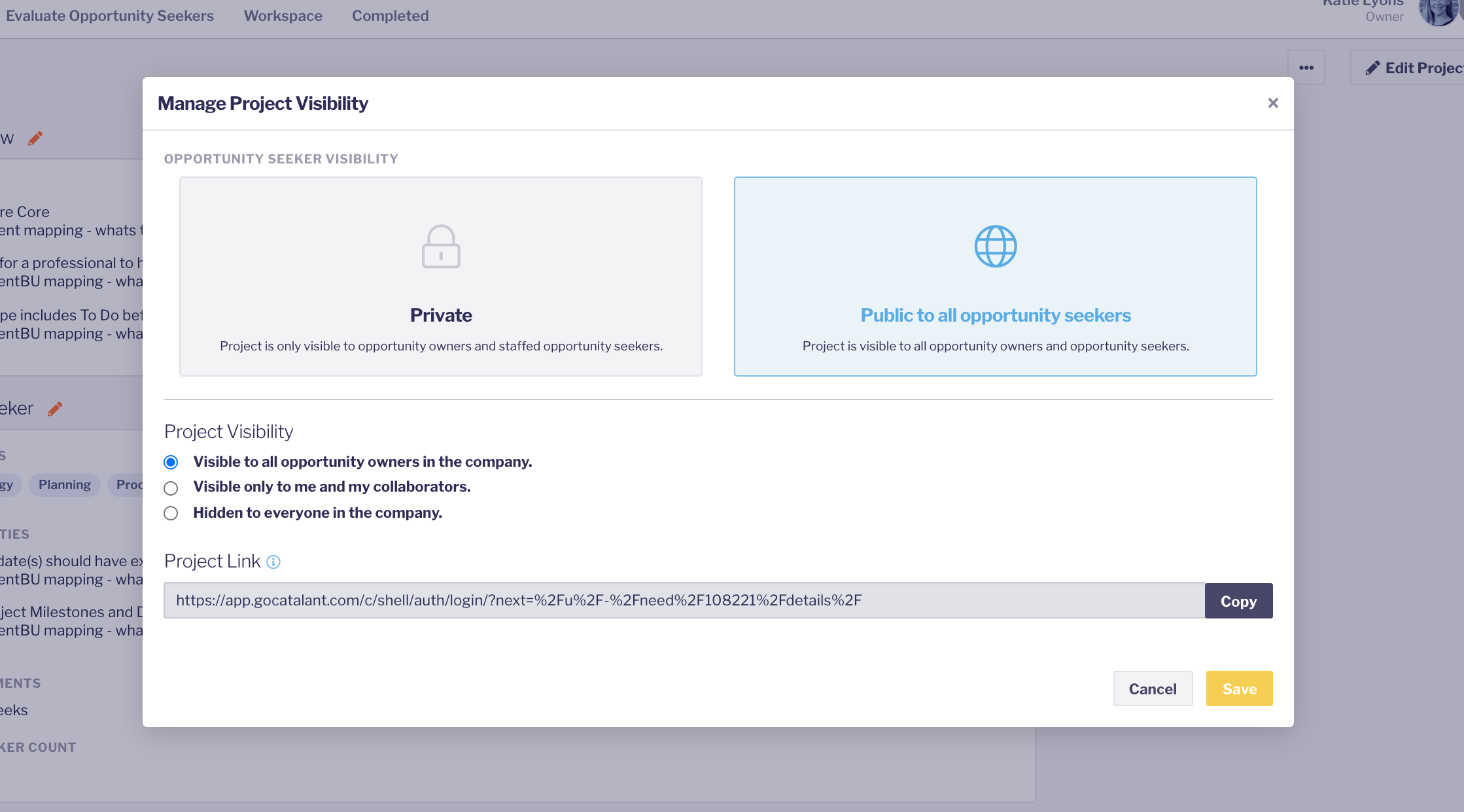
Don't worry, the project will only publish to the audience you have access to (IE RDS Legal or the General Opportuntiy Hub). Make sure to SAVE!
Your project should now be published!